


Steps:
1. Important: Disable Windows Defender and other antivirus programs before proceeding.
1. Install the necessary files listed above.
2. Download the loader (click "DOWNLOAD" at the top of the website).
3. Set the game to "Anti-aliasing OFF".
4. Close the game.
5. Open the game and wait until you reach the lobby.
6. Right-click on the loader and run as administrator.
7. Click the "start" button.
8. Have fun!
If you have any questions, open a ticket clicking here or on our discord
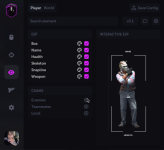
1. Important: Disable Windows Defender and other antivirus programs before proceeding.
Install the necessary programs:
- Latest DirectX
- VC_redist.x86 e C++ Redistributable x64
- Visual C++ Redistributable Runtimes All-in-One
1. Install the necessary files listed above.
2. Download the loader (click "DOWNLOAD" at the top of the website).
3. Set the game to "Anti-aliasing OFF".
4. Close the game.
5. Open the game and wait until you reach the lobby.
6. Right-click on the loader and run as administrator.
7. Click the "start" button.
8. Have fun!
If you have any questions, open a ticket clicking here or on our discord
